

Google Ads Optimization for Service Pros: Maximize Leads and Minimize Wasted Spend


Challenge:
“We’re running Google Ads, but the cost per lead is too high, and we’re attracting the wrong customers.”
Why This Happens:
High cost-per-lead and low-quality inquiries are often the result of broad targeting, vague or misleading ad copy, un-focused service areas and ineffective landing pages. When your ads aren't fine-tuned to attract your ideal customer, you're not just wasting budget—you’re also overwhelming your team with leads that don’t convert. Here are some optimizations & actionable steps to increase your ads ROI.
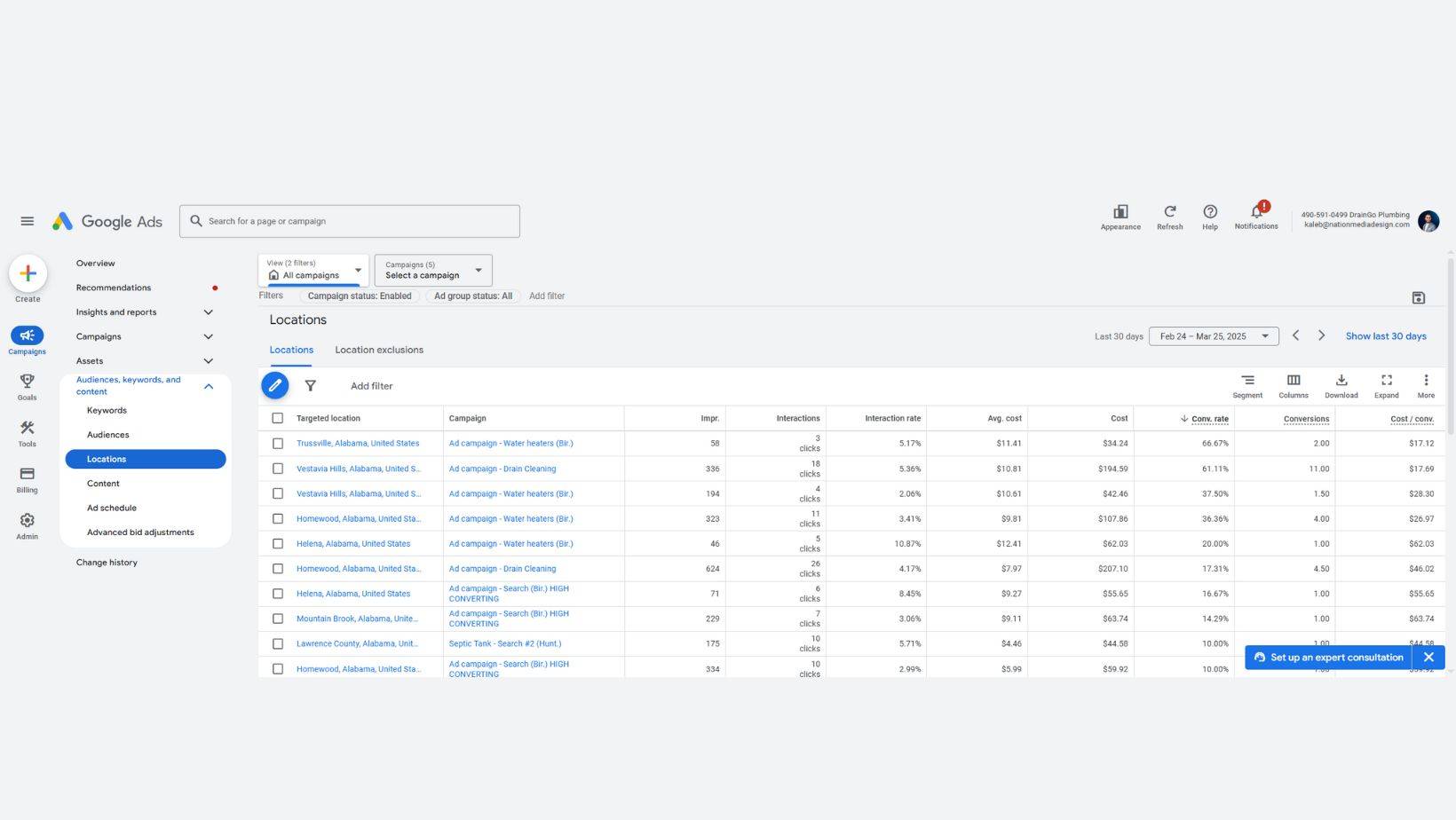
Location Targeting
One of the biggest reasons for wasted ad spend is poor location targeting. If your ads are showing in areas you don’t serve—or worse, to the wrong audience altogether—you’re throwing money away. By narrowing your focus to high-conversion zones, you’ll increase lead quality and reduce costs. Here’s how to dial in your targeting for maximum impact.✅ Set Up Proper Location Targeting
- Avoid broad national targeting unless you offer nationwide service.
- Use radius or zip code targeting to focus on high-conversion areas.
- Exclude locations outside of your service region to avoid wasted clicks.
Ad Copy Optimization
Your ad copy isn’t just about getting clicks—it’s about getting the right clicks. Clear, intentional messaging helps pre-qualify your Google Ads audience before they even land on your site. By calling out who your service is for and setting expectations up front, you can reduce wasted spend and attract high-intent prospects who are ready to take action. Here's how to write copy that converts.✅ Craft Ad Copy That Filters Out Unqualified Leads
- Use copy that calls out exactly who the service is for (“Residential Only,” “Free Estimates Over $500,” etc.).
- Pre-frame expectations in your headlines and descriptions to attract ready-to-buy customers.
Ultra Consultants
Nation Media embarked on an ambitious project with Ultra Consultants, an independent enterprise software consulting firm catering to manufacturing and distribution industries globally. The aim was to elevate Ultra Consultants’ online presence through strategic SEO, a comprehensive website redesign, and a targeted Google Ads campaigns.Read More about how this optimization helped our client Ultra Consultants Get a 422% in conversions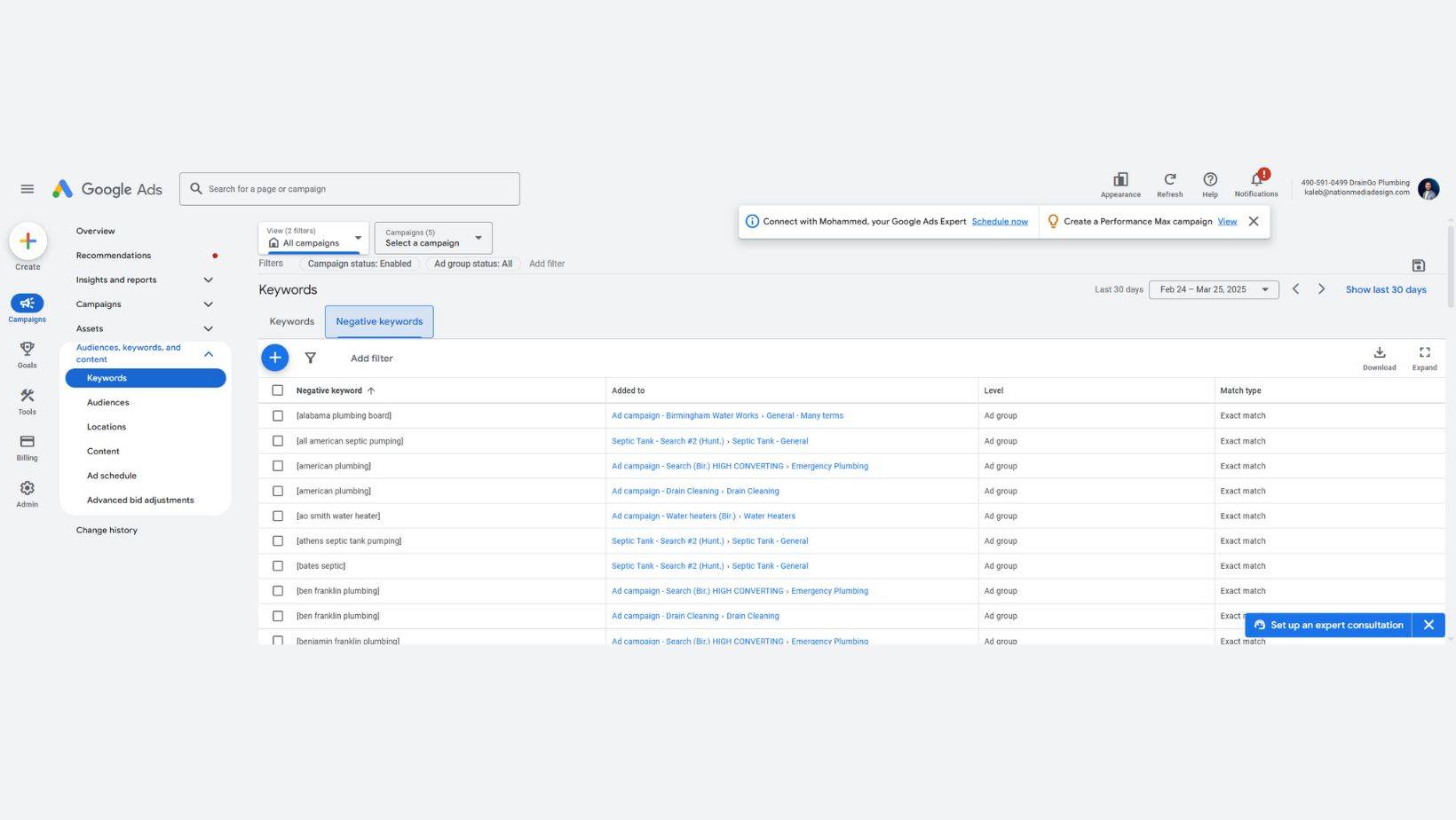
Negative Keyword Strategy
Not all clicks are created equal—and paying for the wrong ones can drain your budget fast. A well-crafted negative keyword strategy helps ensure your ads only show to qualified prospects. By filtering out irrelevant or low-intent searches, you protect your ad spend and improve lead quality. Here's how to keep your campaigns laser-focused.
✅ Implement a Strong Negative Keyword Strategy
- Add negative keywords like “free,” “DIY,” or unrelated services to filter out bad traffic.
- Regularly review your search terms report to find and exclude irrelevant queries.
Landing Pages
Even the best ad can fall flat if your landing page doesn’t deliver. Your landing page is where interest turns into action, so it needs to be clear, compelling, and conversion-focused. When your messaging matches the ad and includes strong calls-to-action and trust signals, you’ll see a big lift in lead quality and volume. Here’s how to make every visit count.✅ Landing Page Best Practices for Higher Conversion Rates
- Match your landing page messaging exactly to the ad (headline, offer, service).
- Include a strong call-to-action, visible contact forms, and fast load speeds.
- Use trust elements like testimonials, reviews, and certifications.
Setup Conversion Tracking
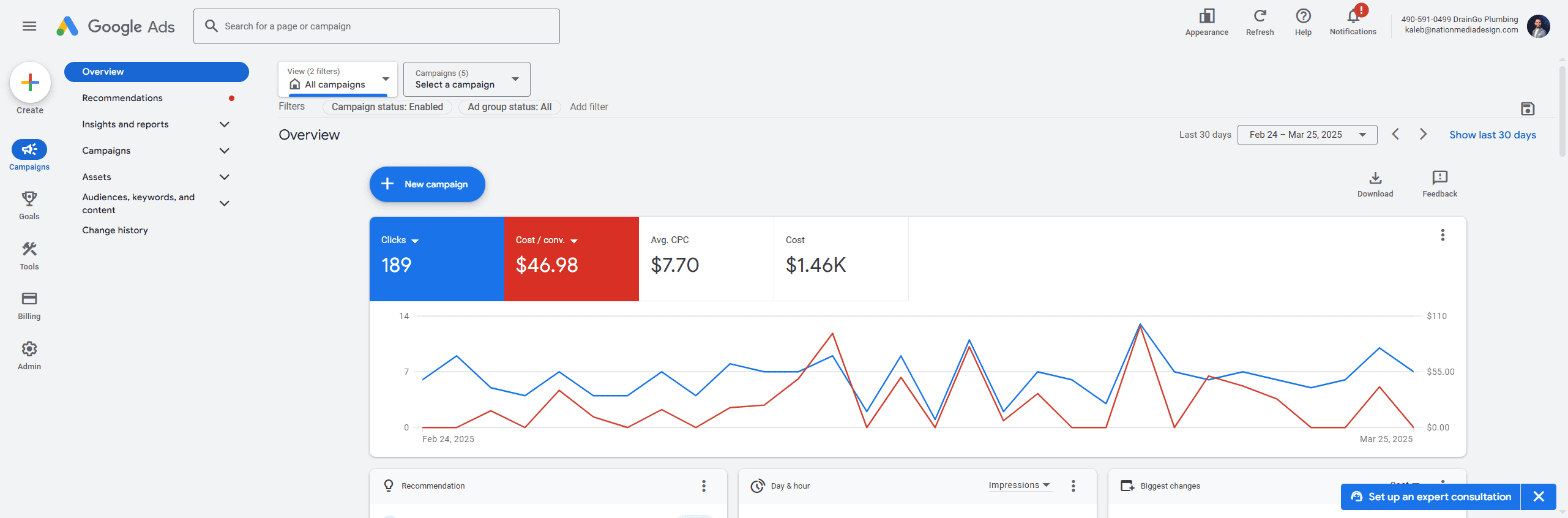
Running ads without tracking is like flying blind—you won't know what's working or where your leads are coming from. To truly measure ROI and make informed decisions, you need to have accurate conversion tracking in place. This includes monitoring calls, form submissions, and lead sources so you can double down on what drives results.
✅ Track Calls & Form Submissions Properly
- Set up conversion tracking in Google Ads to measure real results.
- Use call tracking numbers and ensure forms are integrated with analytics tools for lead source attribution.
Unique Insights:
💡 Pre-Qualify Leads with Ad Extensions- Use callout extensions to highlight service minimums or client types.
- Use structured snippets to show specific offerings (e.g., “Services: Roof Repair, Gutter Cleaning, Siding”).
- Segment campaigns based on buyer stages (awareness, consideration, decision).
- Use remarketing to follow up with visitors who didn’t convert the first time.
- Set rules to pause ads or keywords with low conversion rates.
- Adjust bids automatically based on performance thresholds (like high CPC or poor CTR).
FAQs about google ads for service businesses
1. Does adding services to Google Business help rankings? Yes. Adding detailed services helps Google understand what your business offers, making your profile more relevant for local searches and increasing your chances of showing up for specific service-related queries. 2. How do you know if a business needs Google Ads services? If a business isn’t getting enough leads, has strong competition, low website traffic, or needs faster results than SEO can deliver, it’s a good fit for Google Ads. 3. How effective is Google Ads for service businesses? Very effective. Google Ads targets people actively searching for services, delivers fast results, and allows precise control over budget and location—making it ideal for service-based businesses. 4. How much has Google Ads helped local service businesses? Google Ads has helped local businesses grow by delivering high-quality leads. Many see $2–$8 return for every $1 spent, making it a proven way to scale services and generate revenue.High costs and poor-quality inquiries usually come from broad targeting, vague or misleading ad copy, unfocused service areas, and landing pages that fail to convert visitors.
Avoid broad national targeting unless you serve nationwide. Use radius or ZIP code targeting around high-conversion areas, and exclude locations outside your service region to prevent wasted clicks.
Start with terms like free, DIY, and services you don't offer. Then review your search terms report regularly to find and exclude irrelevant queries that drain budget.
Call out exactly who the service is for, with phrases like Residential Only, and set expectations in headlines and descriptions so only ready-to-buy customers click.
Match the page's headline, offer, and service exactly to the ad. Add a strong call-to-action, visible contact forms, fast load speeds, and trust elements like reviews and certifications.